How to duplicate a page
Apr 19, 2024●
1
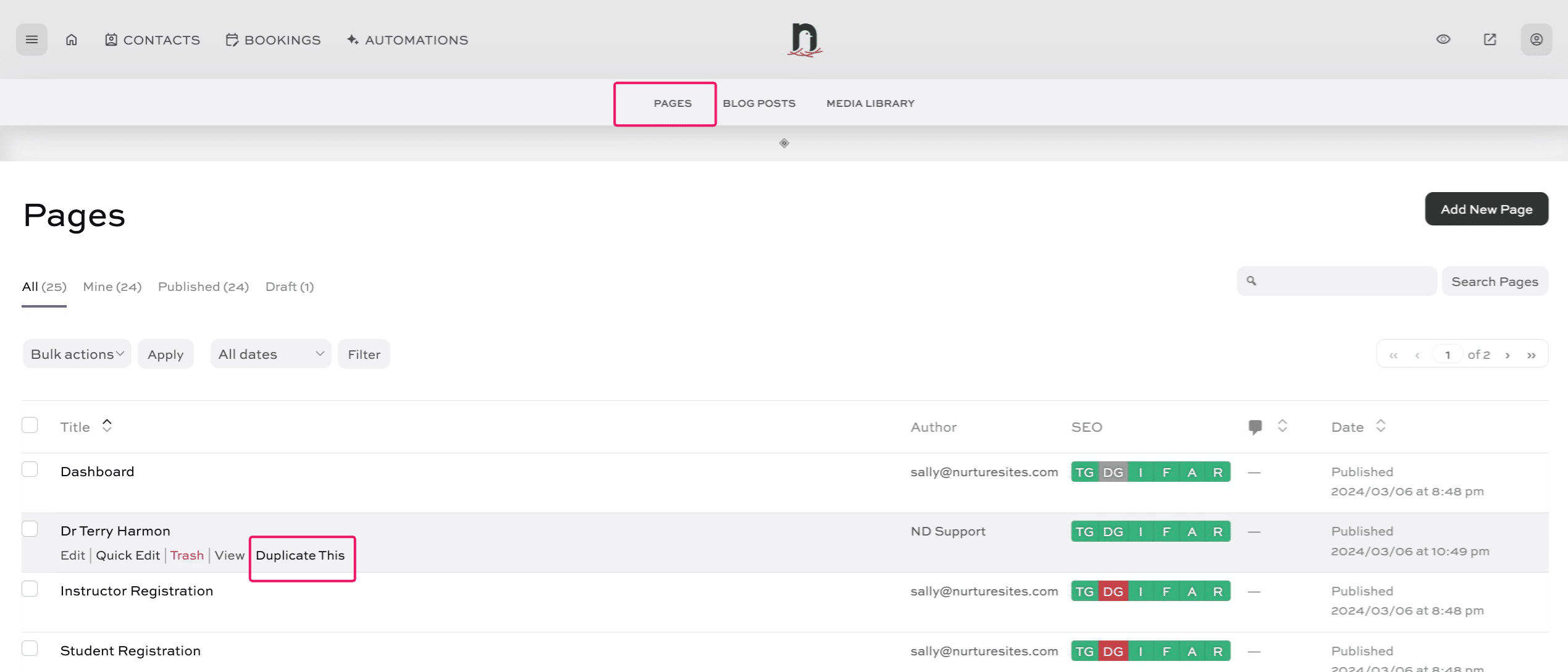
Click on "Pages", locate the page you wish to duplicate, and click on "Duplicate This"

2
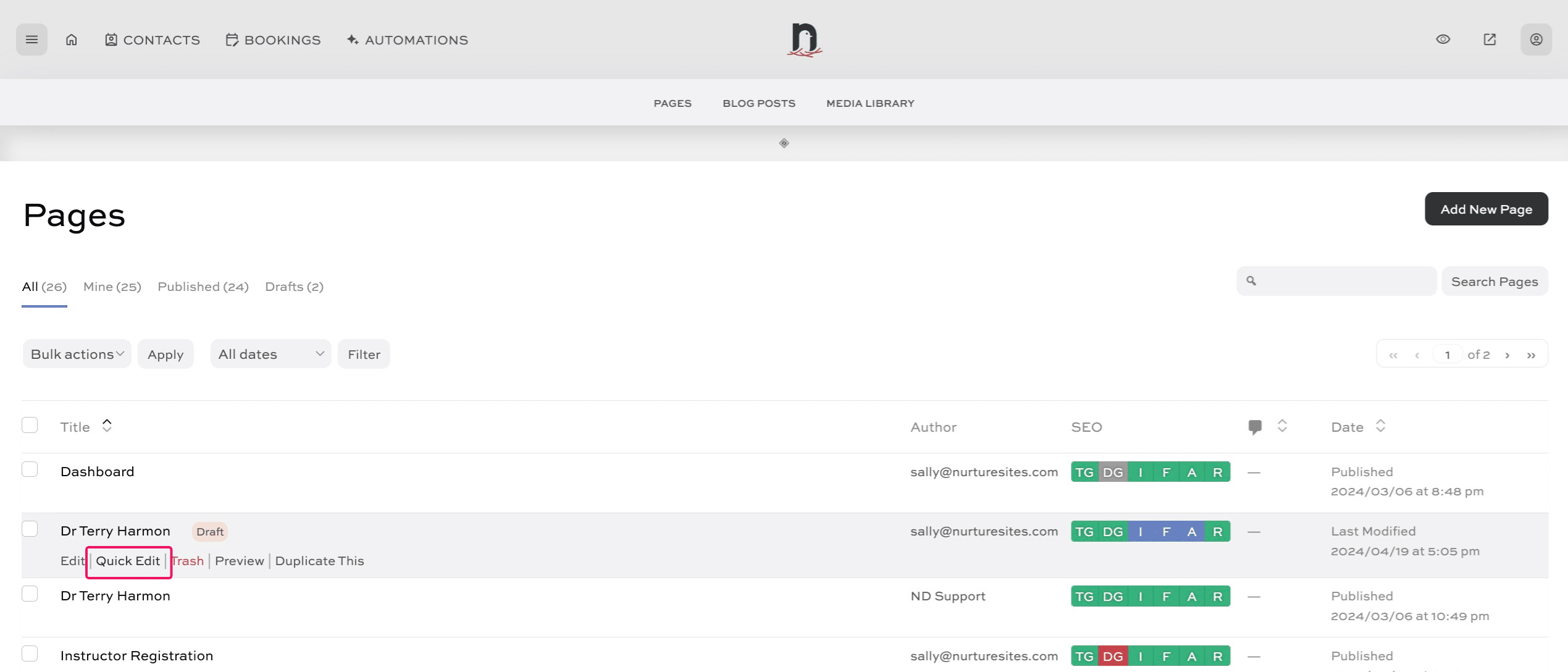
A 'Draft' duplicate is created. Click on "Quick Edit" so we can rename the page.
3
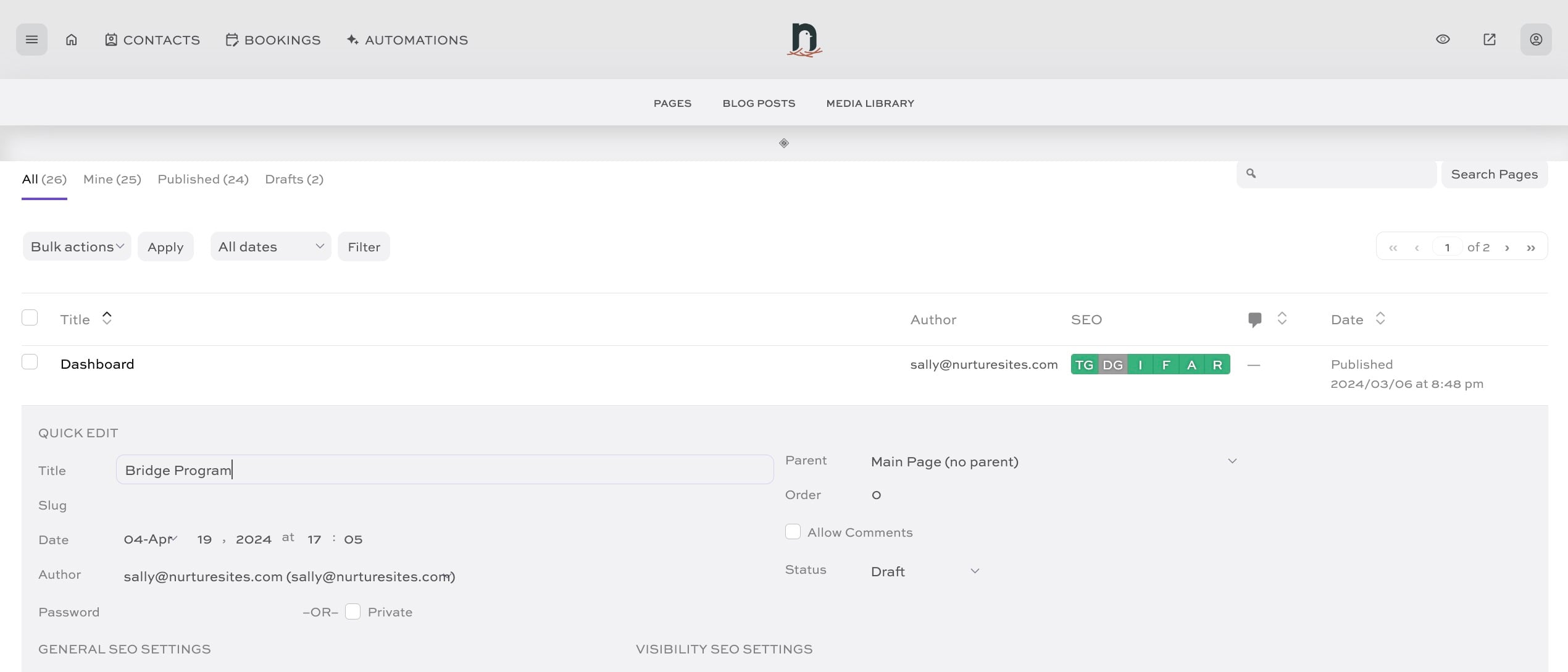
Enter the new page name
4
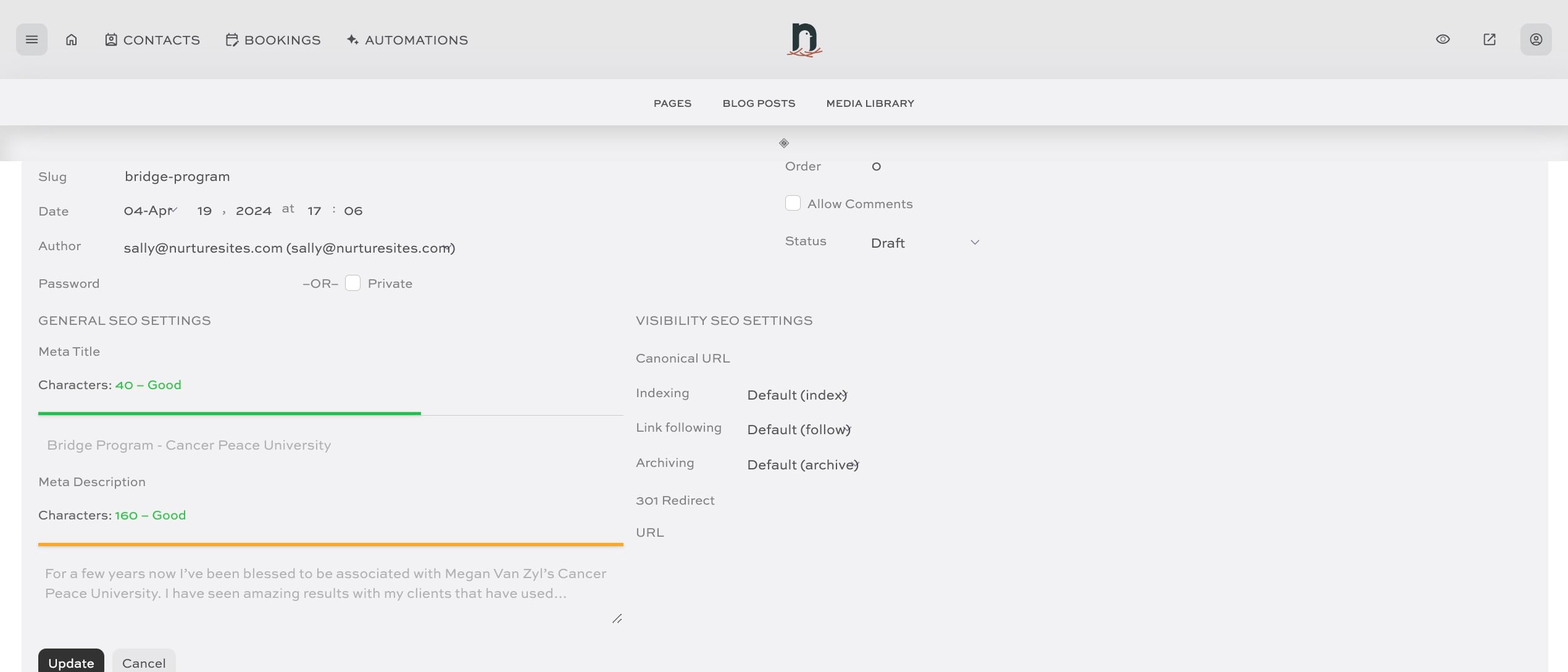
Update the 'slug' to match the page name, then click 'Update' to save.
5
Done 🚀