Connecting Stripe to take payments via forms
Jun 15, 2024●
1
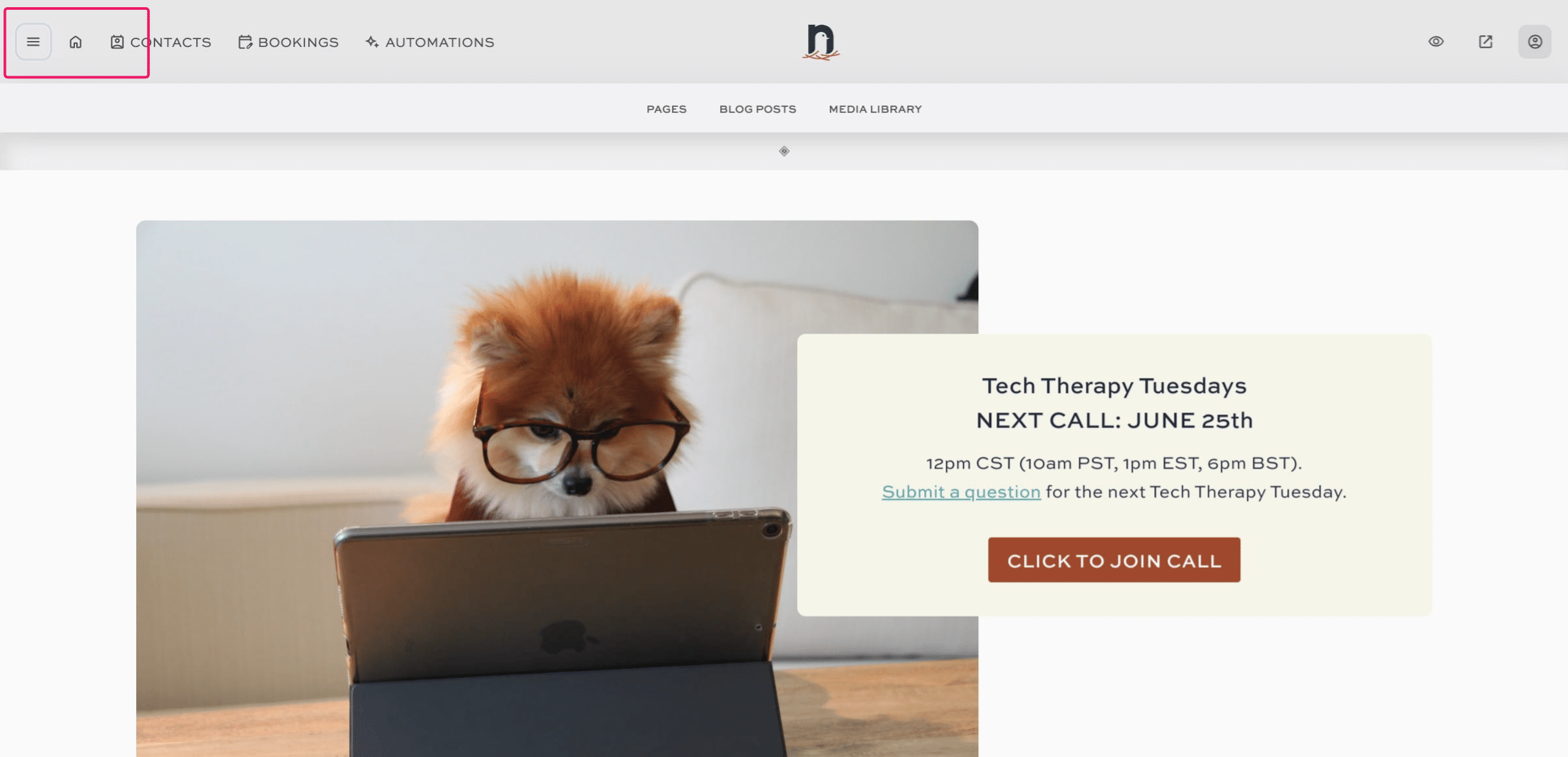
Click on the "menu" icon.

2
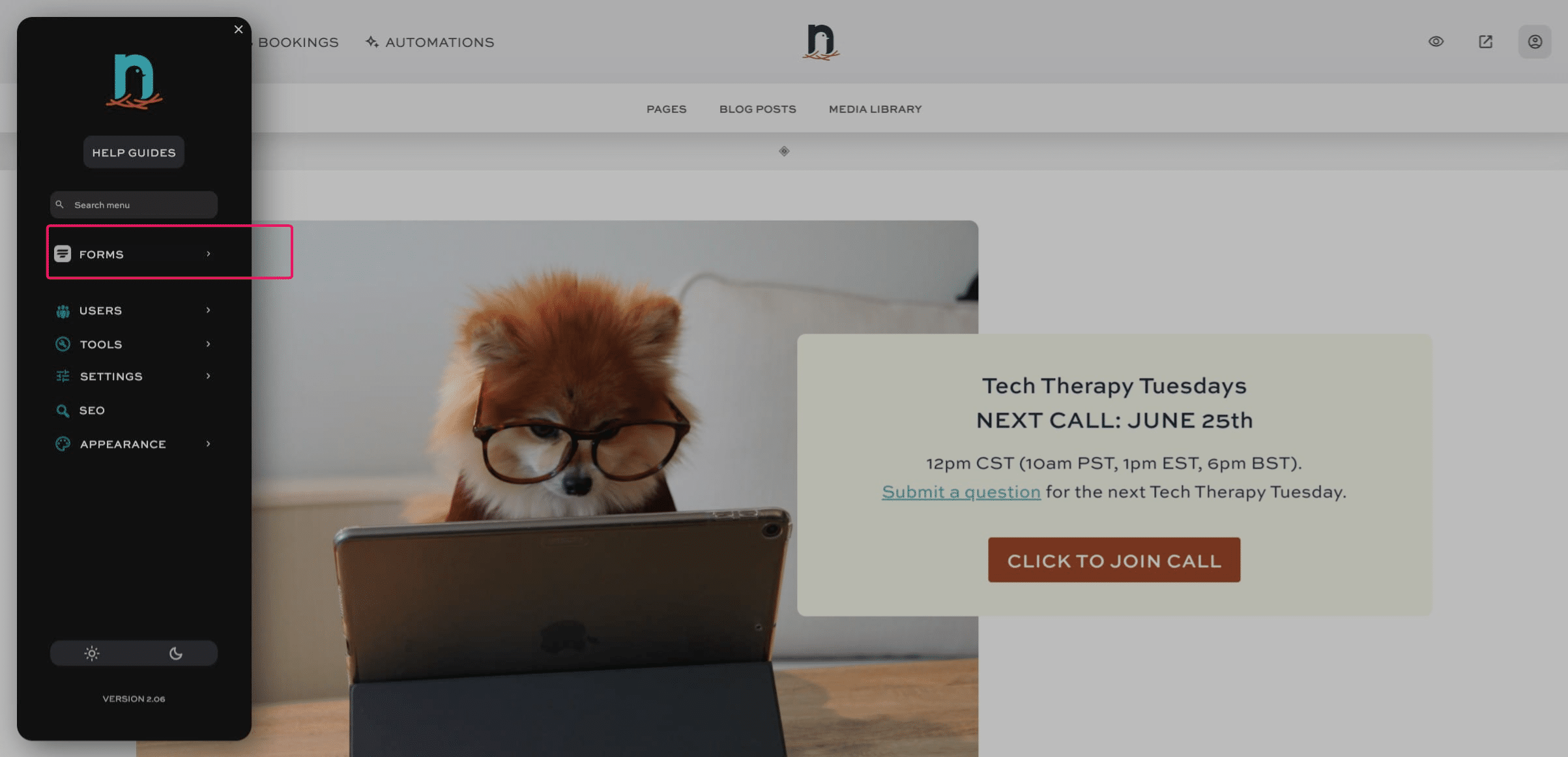
Click on "Forms"
3
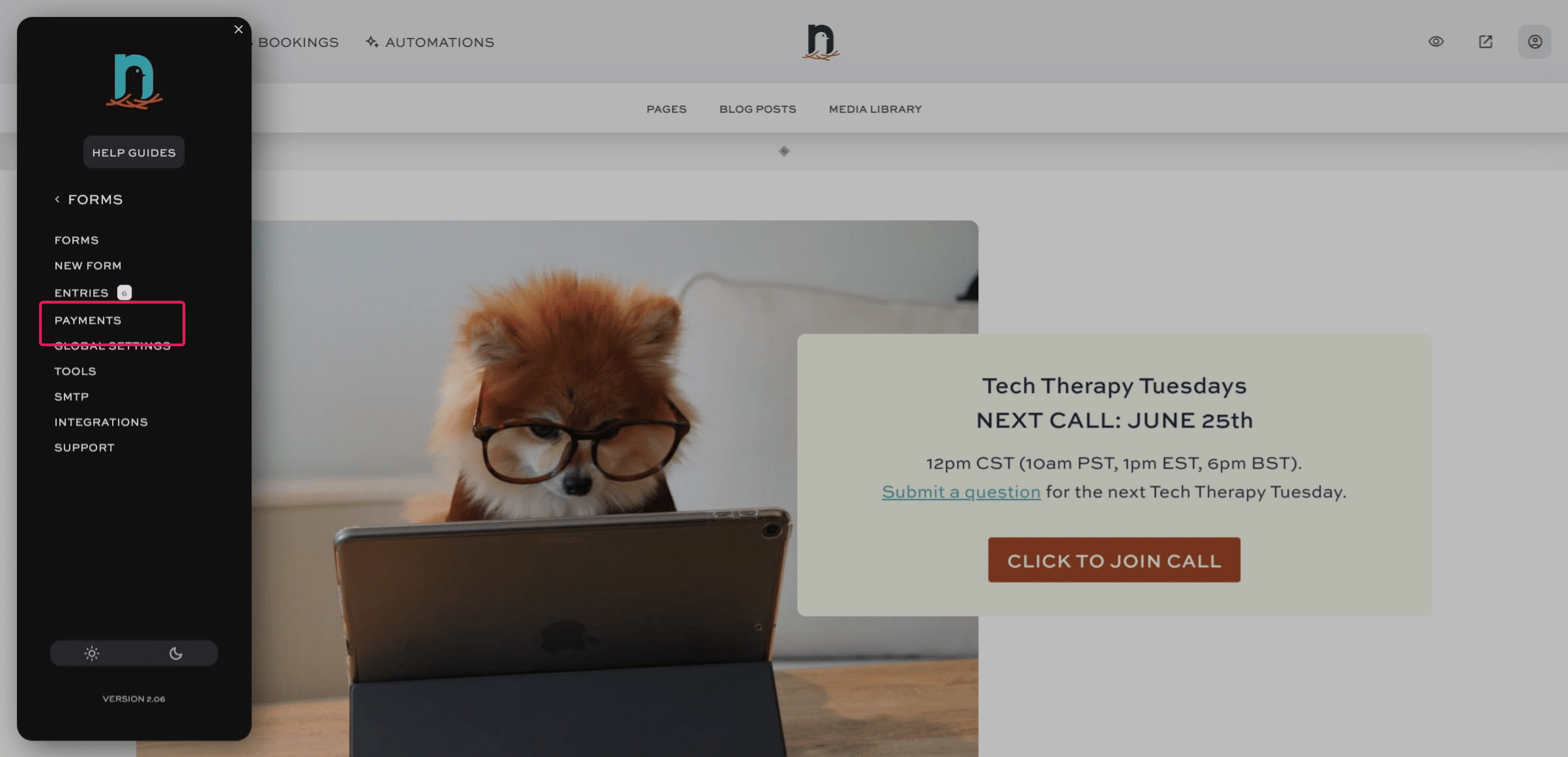
Click on "Payments"
4
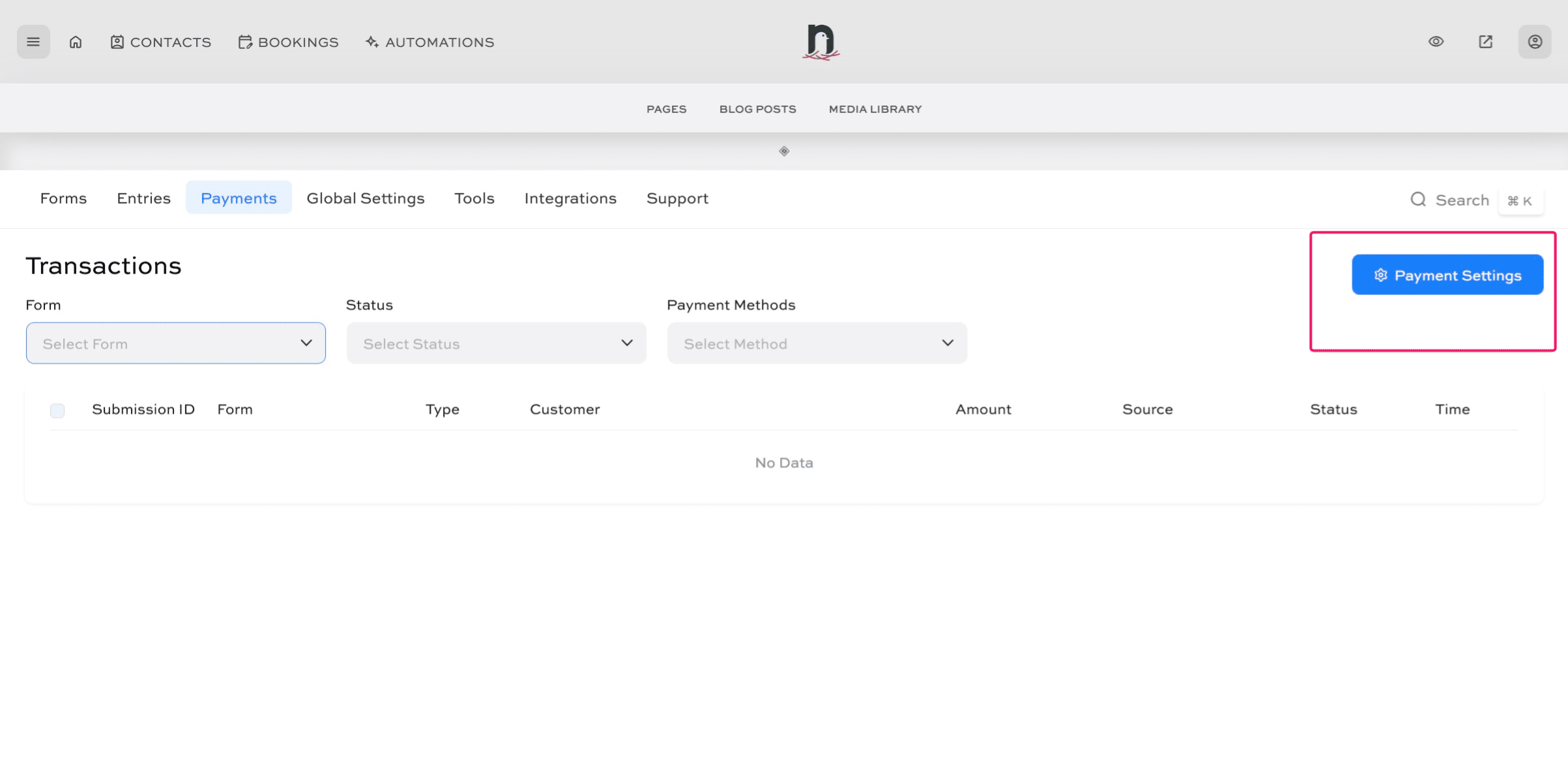
Click on "Payment Settings"
5
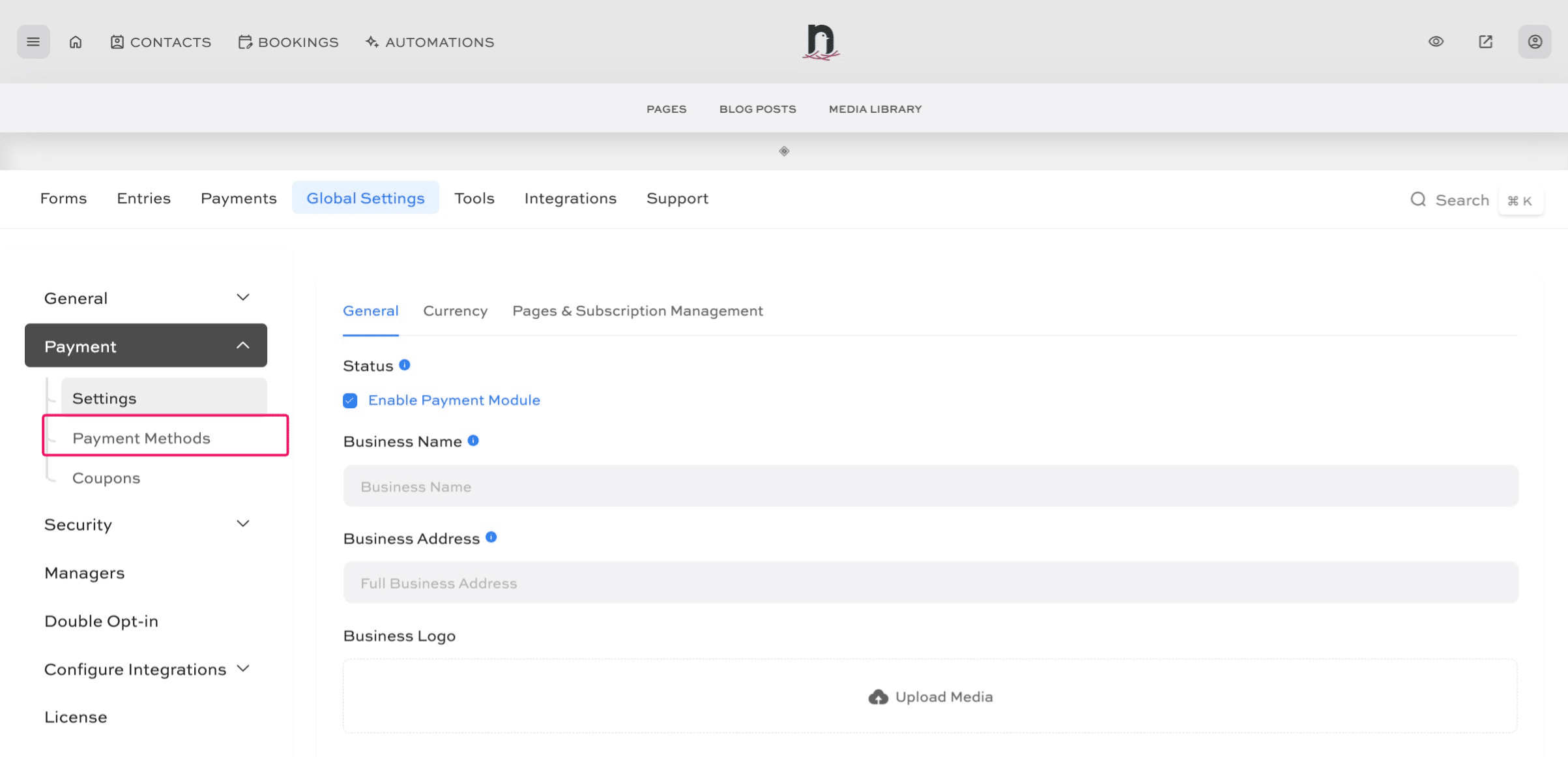
Click on "Payment Methods"
6
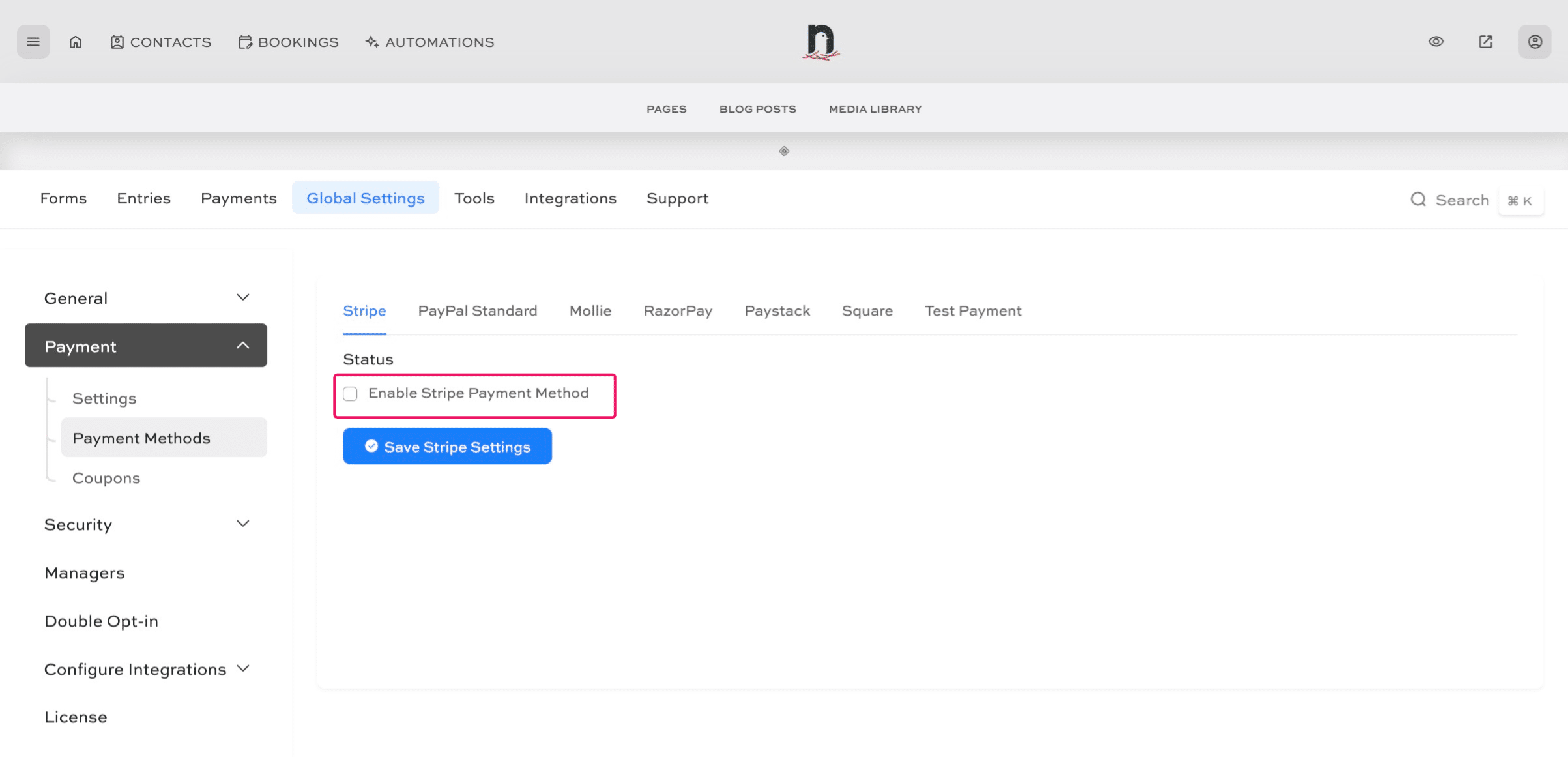
Click 'Enable Stripe Payment Method'
7
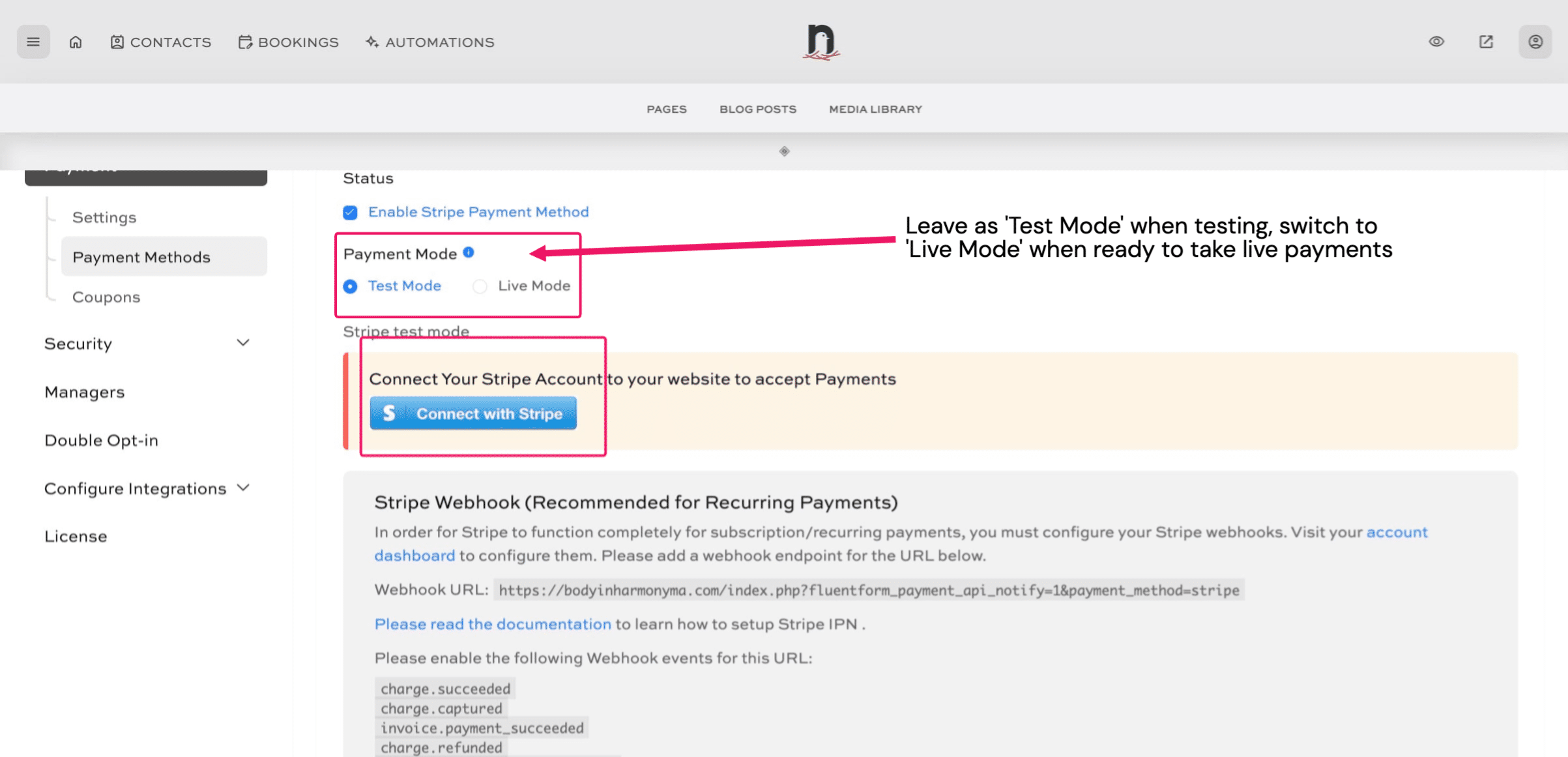
**RIGHT-CLICK ** Connect with Stripe and select 'Open in new tab'
8
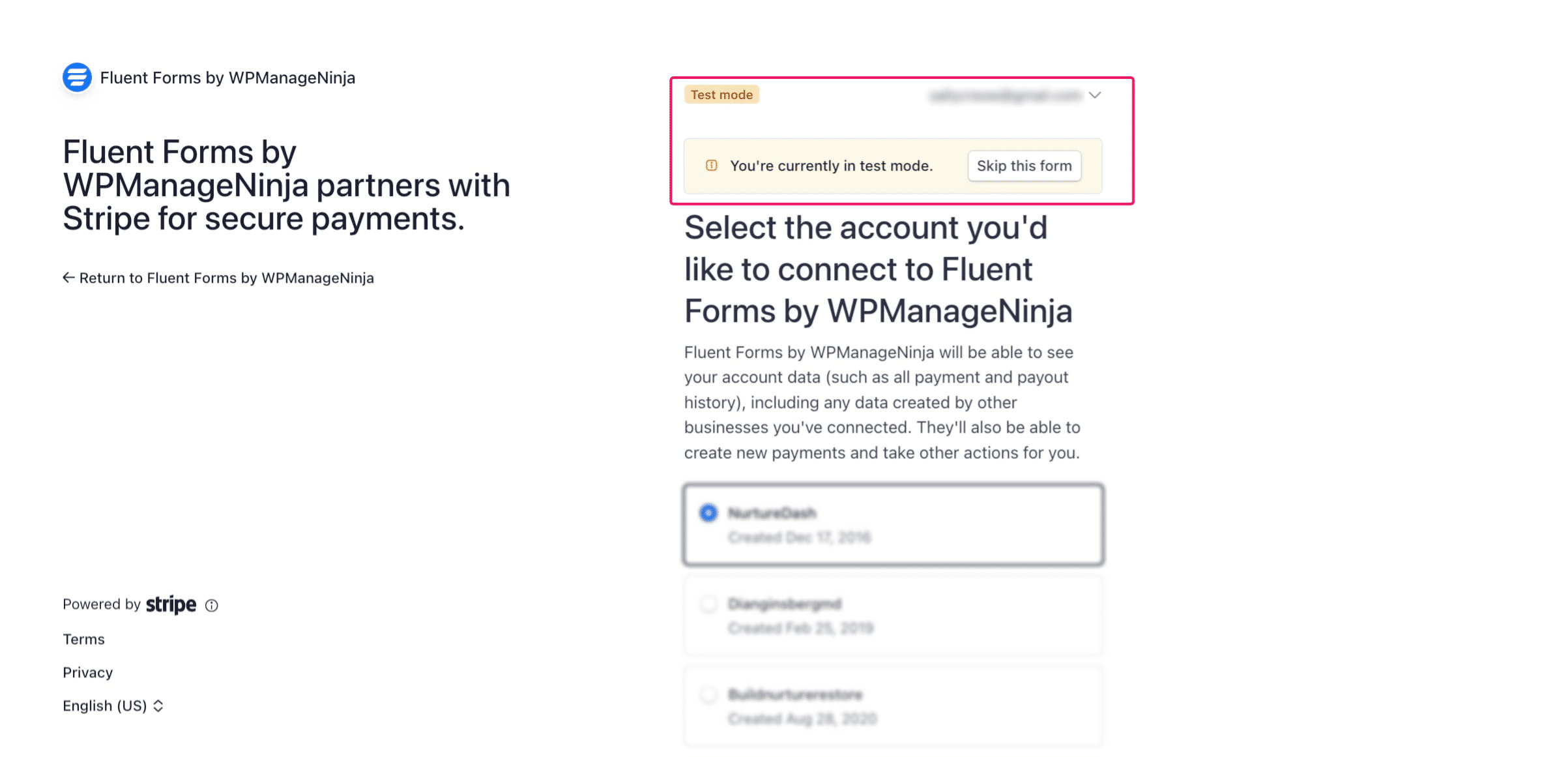
To connect in Test Mode (recommended to start), click 'Skip this form'. Once you've tested your checkout process, change the 'Payment Mode' in Step 8 from 'Test Mode' to 'Live Mode' and then 'Connect with Stripe' again, but this time select your Stripe account in Step 9.